 ZAZU
Germany · France · Auto
A VPN that turns on with one button.
Download the ZAZU app for Android and tap the button: the server is picked for you. There are simple guides for iPhone, computers and TVs. The first 7 days are free.
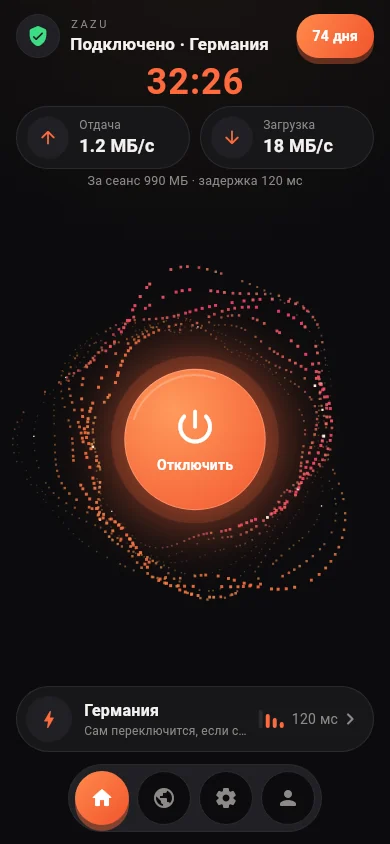
The ZAZU VPN app for Android
Our own app: one button, nothing to set up, no Telegram. Open it and get 7 days free, 50 GB.
- The server is picked for you: the fastest one, and another if it does not answer.
- Already have a subscription from the bot? Add it by QR code or paste the link.
- Days left, traffic and renewal are right in the app.
The app is for Android only for now (64-bit phones — almost all current ones). For iPhone, computers and TVs use Happ with the guides below.
- Tap “Download for Android”. Chrome warns “File might be harmful” — it says so about any app not from Google Play; tap “Download anyway”.
- Open the file from the download notification or from the Downloads folder (the Files app).
- The phone asks whether apps may be installed from the browser — allow it (every app not from Google Play installs this way).
- Open ZAZU VPN and tap “Подключить” (Connect). The 7-day trial appears by itself; after that, pay in USDT right in the app or in the bot.
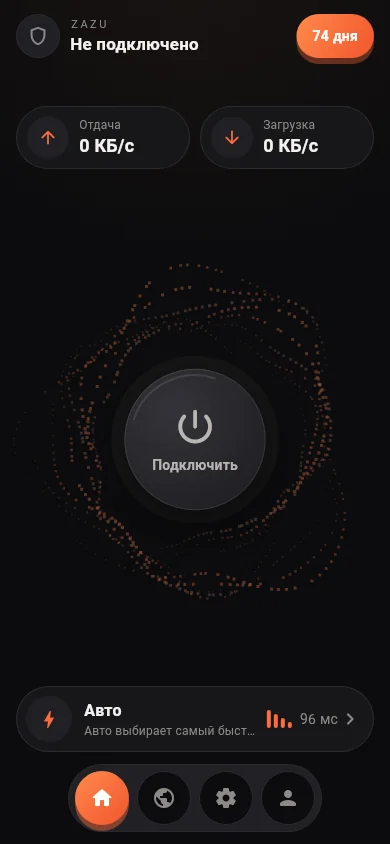
One button 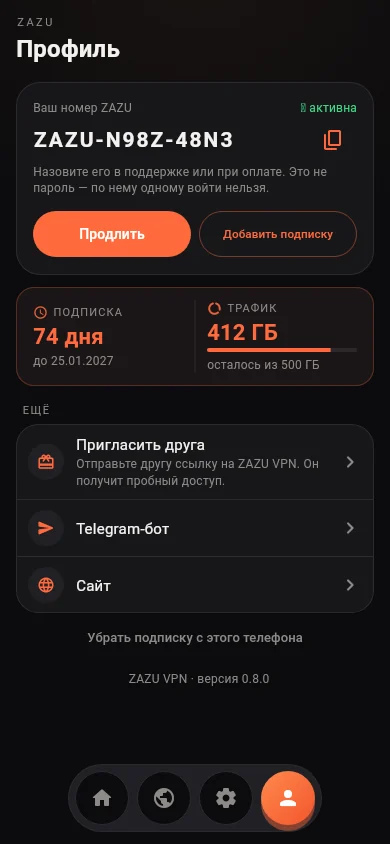
Days and traffic 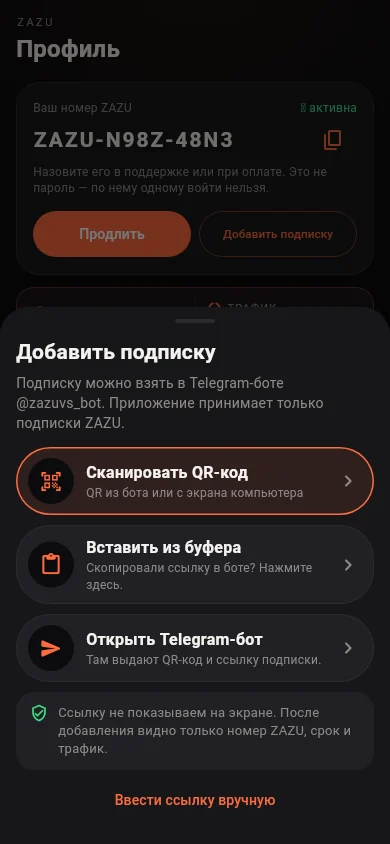
Add by QR code
The Android robot is reproduced or modified from work created and shared by Google and used according to terms described in the Creative Commons 3.0 Attribution License.
Choose your device
Step by step: which app to install, how to add the subscription and what to do if it does not connect.
One “Auto” profile — that is all
“🦅 ZAZU · Auto” is at the top of the list in Happ. No need to choose a server: turn it on and it does the rest.
🦅 Auto
Checks all our servers in Germany and France every 30 seconds, sends your traffic through the fastest one and switches by itself if a server stops answering.
Pick a country
Below it are “🇩🇪 Germany” and “🇫🇷 France”. Pick a country to stay in it: the server inside it is still chosen for you.
No dropouts
If a server is slowed down or blocked, Auto moves you to another one within seconds. Nothing to tap.
The ZAZU app for Android has its own “Auto” that also picks the country and the server. The subscription and traffic are shared by all servers.
Plans
Every paid plan lasts 30 days. Pay in USDT (TRON network) right in the bot or in the ZAZU app for Android.
Trial
free
for 7 days
- 50 GB
- 2 devices
Start
1.5 USDT
for 30 days
- 100 GB
- 2 devices
Comfort
2.5 USDT
for 30 days
- 200 GB
- 4 devices
Max
4.5 USDT
for 30 days
- 500 GB
- 6 devices
The trial lasts 7 days, 50 GB, once per Telegram account. Devices are exactly as in the plan: that many devices can be connected at the same time. Need more — choose a bigger plan or write to support.
How to get access
Access comes from the bot @zazuvs_bot in Telegram: the trial, payment and your subscription link. The bot has the “ZAZU” mini app with your status, traffic and an “Открыть в HAPP” (Open in HAPP) button.
Personal account without Telegram
The same menu as in the mini app opens in an ordinary browser: sub.zazu.homes/app (in Russian). Sign in with your subscription link to see your status, traffic and the connect buttons. In Happ, the “i” button on the subscription opens it already signed in. Plans are bought and renewed in the bot or in the ZAZU app for Android.